Electronic Audio Experiments
Electronic Audio Experiments Sending Delay Pedal
Electronic Audio Experiments Sending Delay Pedal
Couldn't load pickup availability
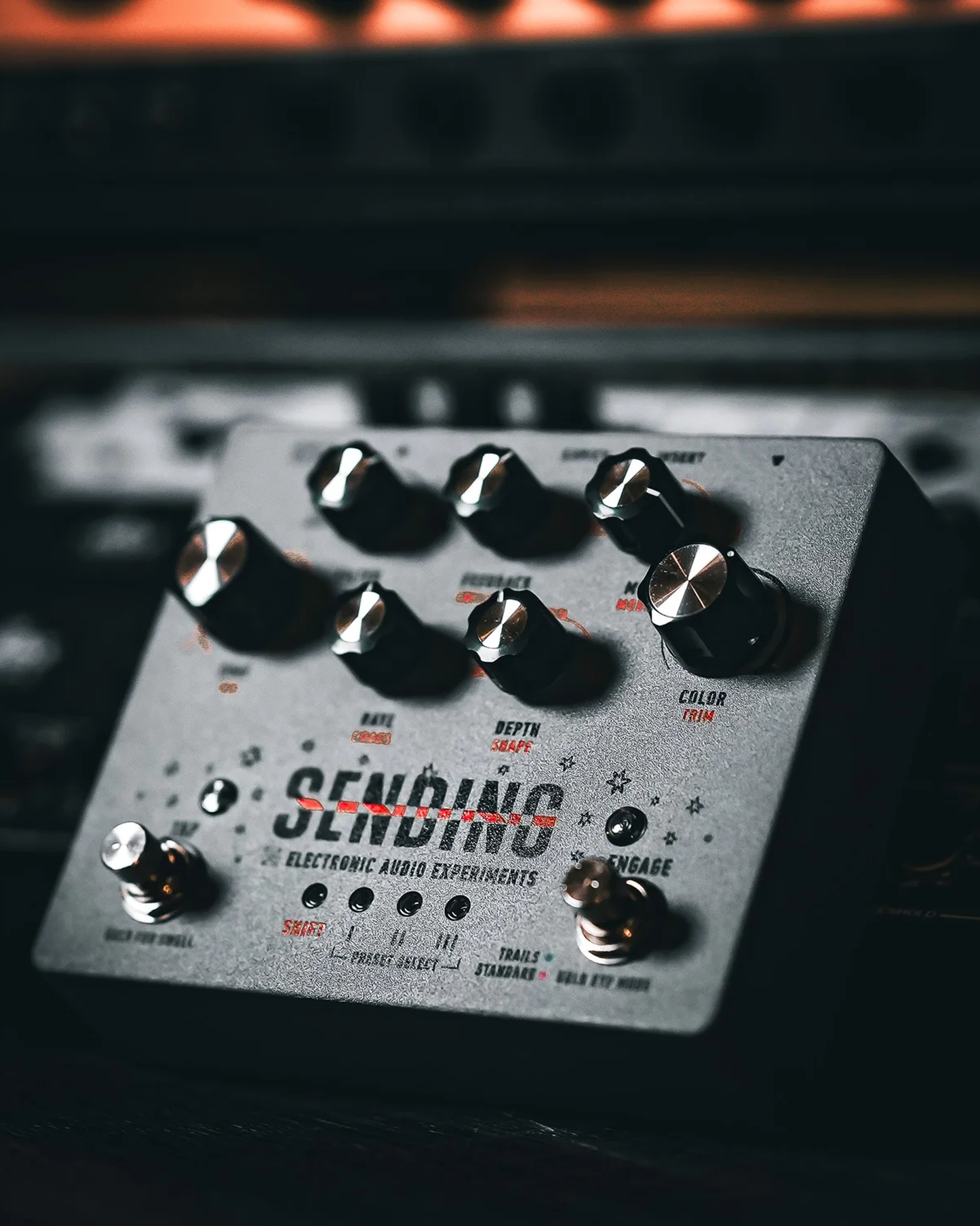
Meet Sending, an analog delay that blends the gritty soul of classic bucket brigade devices with the flexibility of modern digital control. It captures all the charm, character, and quirks that make vintage delay so addictive, while delivering the clarity, reliability, and performance-ready features today’s musicians expect. The result? Warm, expressive echoes that feel alive under your fingers.
Powered by dual MN3005 chips and detailed analog processing, Sending delivers up to a full second of rich delay time without unwanted clock noise, and you can push it even further for beautifully degraded, lo-fi textures. A discrete preamp at the input adds anything from subtle sweetening to warm saturation, while a dual-mode feedback filter shapes repeats from deep, pulsing ambience to bright, dub-style echoes. The flexible LFO brings everything from gentle movement to full-on sonic swirl, all managed by a powerful 32-bit processor with presets and full MIDI control.
Each knob has a primary and secondary function. Access secondary functions by pressing Shift once. Press again to return the panel to normal.
-
Time: delay time from <5ms to 1 second
-
Div: tempo divisions
-
-
Color: adjusts preamp gain while keeping level consistent
-
Trim: adjust volume up/down by 6dB
-
-
Mix: wet/dry blend
-
Mix Mode: Sets Mix knob as a crossfader between wet/dry or as a delay level control only
-
-
Feedback: sets the number of repeats, from one repeat to self-oscillation
-
Swell time: adjusts speed of feedback swell when Tap is held
-
-
Filter: cut lows or highs in the delay line
-
Rate: LFO rate
-
Chaos: LFO randomization
-
-
Depth: LFO intensity
-
Shape: Set LFO waveform
-
-
Preset Select Buttons (I, II, III): long press to save a preset, short press to recall
-
Engage Footswitch: turn effect on/off. Long press to change the bypass mode.
-
Tap Footswitch: tap four times to set the delay time as a running average. Hold to enter Feedback Swell mode.